
Download PhotoJacker – Fast Facebook Album Downloader for Firefox
What Is PhotoJacker and Why It Still Matters
PhotoJacker is a lightweight Firefox add‑on that was originally released under the name FacePad. Its core mission is simple yet powerful: let Facebook users download whole photo albums with a single right‑click. In an era where visual content dominates social feeds, many people need a quick way to back up memories, create offline slideshows, or simply keep a copy of images for personal projects.
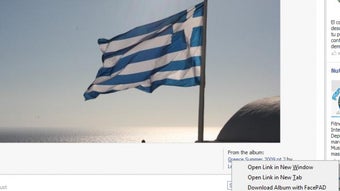
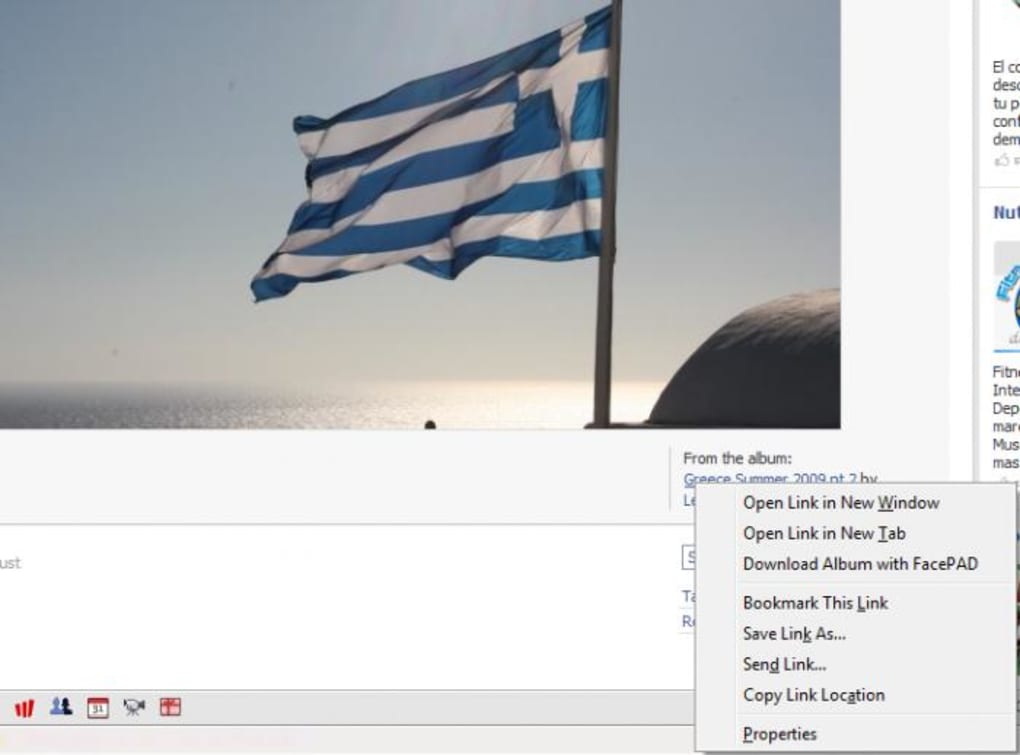
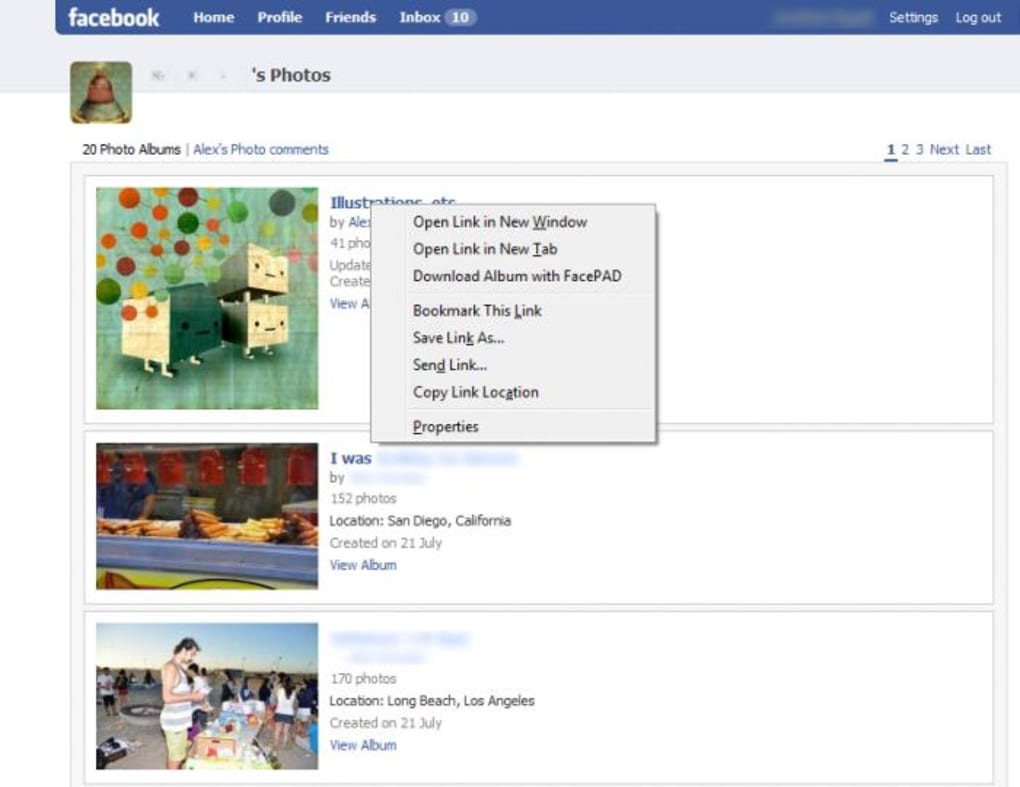
PhotoJacker fills that niche by turning a lengthy, manual download process into a matter of seconds. Although legal pressure from Facebook has forced the developer to pull the extension from public repositories, the concept remains relevant for anyone looking for a secure, free, and easy‑to‑use tool. The add‑on works invisibly within Firefox, adding a single “Download Album with PhotoJacker” entry to the context menu whenever you hover over a Facebook album link.
Once activated, the extension automatically saves each picture in the album to your default images folder, eliminating the need to click “Save image as…” for every single file. While the tool is no longer officially distributed, understanding its functionality, feature set, and user experience can help you evaluate similar utilities or decide whether to keep an existing copy of the add‑on for personal use.
Key Features That Made PhotoJacker Stand Out
- One‑click bulk download of Facebook photo albums directly from the right‑click menu.
- Seamless integration with Firefox – no separate window or toolbar clutter.
- Automatic saving to the operating system’s default images folder for immediate access.
- Supports both public and private albums (as long as you have viewing permission).
- Lightweight code footprint, ensuring minimal impact on browser performance.
- Zero‑cost, free to use with no hidden fees or subscription requirements.
- Secure handling of image URLs – the add‑on never transmits your data to third‑party servers.
Each of these features was designed with a specific user pain point in mind. The one‑click download eliminates repetitive manual actions, while the invisible UI keeps Firefox’s interface clean. By defaulting to the system’s images folder, PhotoJacker reduces the friction of having to choose a destination for every album, which can be a boon for users who regularly archive large collections.
Its lightweight nature meant that even older hardware could run the add‑on without noticeable slowdowns, and because it never required a paid license, it appealed to hobbyists, educators, and small businesses alike. However, the simplicity of these features also introduced limitations—most notably the inability to customize the download path, a shortcoming that many power users pointed out in community forums. Despite that, the core promise of “download Facebook albums in seconds” remained solid, making PhotoJacker a frequently recommended tool among Firefox extensions for social‑media power users.
Installation, Usage, and Compatibility Details
Installing PhotoJacker was as straightforward as any other Firefox add‑on. Users would navigate to the Mozilla Add‑ons page, click “Add to Firefox,” and grant the required permissions for the extension to read page content on facebook.com. Once installed, a tiny icon appeared in the add‑on toolbar, though the real interaction happened via the context menu. To use the tool, simply locate a Facebook album link, right‑click, and select “Download Album with PhotoJacker.” The add‑on would then scan the album, queue each image, and begin downloading to the default images directory without further user input.
PhotoJacker was built specifically for the desktop version of Firefox on Windows, macOS, and Linux. Because it relied on the browser’s native download manager, it inherited the operating system’s handling of file paths and permissions. Users on Windows 10/11 saw files appear in C:\Users\, while macOS users found them in /Users/. Linux distributions followed the XDG standard, typically placing files in /home/. The add‑on did not have a mobile counterpart, so Android and iOS users could not benefit directly, though the underlying concept inspired similar mobile utilities.
The biggest limitation during installation was the sudden removal of the add‑on from Mozilla’s repository. Existing users who had already installed PhotoJacker could continue using it, but new users could no longer download it officially. This situation underscores the importance of checking extension compatibility before a major browser update, as future Firefox releases might break the add‑on’s functionality if it isn’t actively maintained. For those still holding a copy, it is advisable to keep a backup of the .xpi file and reinstall it manually after each Firefox update, while also verifying that the extension still respects Facebook’s evolving privacy policies.
Pros, Cons, Frequently Asked Questions, and Final Verdict
Pros
- Extremely fast bulk download of entire Facebook albums.
- Free, no hidden costs or subscription fees.
- Lightweight and does not impact browser performance.
- Secure – works locally without sending data to external servers.
- Simple, unobtrusive UI that integrates directly into the right‑click menu.
Cons
- Cannot customize the download folder – forced to use the default images directory.
- Official download no longer available due to legal challenges from Facebook.
- Lacks advanced options such as file naming templates or selective image filtering.
- No mobile version for Android or iOS.
- Potential breakage after major Firefox updates if not manually maintained.
Frequently Asked Questions
Is PhotoJacker still safe to use?
Yes, the add‑on operates entirely within your browser and never transmits your photos to third‑party servers. However, because it is no longer updated, you should verify compatibility after each Firefox upgrade and keep the extension file in a secure location.
Can I change the download destination?
Unfortunately, PhotoJacker does not provide an option to select a custom folder. All images are saved to the operating system’s default pictures directory. Users often move the files manually after download.
Will PhotoJacker work on the newest Firefox version?
Because the add‑on is no longer maintained, there is no guarantee it will function after major Firefox updates. Users who rely on it should keep a backup of the .xpi file and test it after each browser upgrade.
Is there an alternative for mobile devices?
While PhotoJacker itself is desktop‑only, several third‑party apps for Android and iOS claim to download Facebook albums. Always check reviews and permissions before installing any mobile downloader.
How does PhotoJacker handle private albums?
The add‑on respects the permissions of the logged‑in Facebook account. If you can view a private album in the browser, PhotoJacker will download it. It does not bypass Facebook’s privacy controls.
Conclusion & Call to Action
PhotoJacker demonstrated that a simple Firefox add‑on could dramatically streamline the tedious task of saving Facebook photo albums. Its core strengths—speed, zero cost, and a clean right‑click workflow—made it a favorite among power users who needed to archive large collections quickly. The main drawbacks, chiefly the lack of folder customization and the fact that it is no longer officially available, limit its appeal for new users. If you already have PhotoJacker installed and it still works with your current browser version, it remains a handy tool for occasional bulk downloads. For those seeking a fresh solution, look for actively maintained extensions that offer similar bulk‑download capabilities with added flexibility, such as custom output directories and better integration with modern browsers.
Ready to boost your Facebook photo management? If you have a copy of PhotoJacker, reinstall it today and start saving albums in seconds. Otherwise, explore alternative bulk‑download extensions that are actively supported and compatible with the latest versions of Firefox, Chrome, or Edge.







